Drag-and-Drop Captive Portal Builder
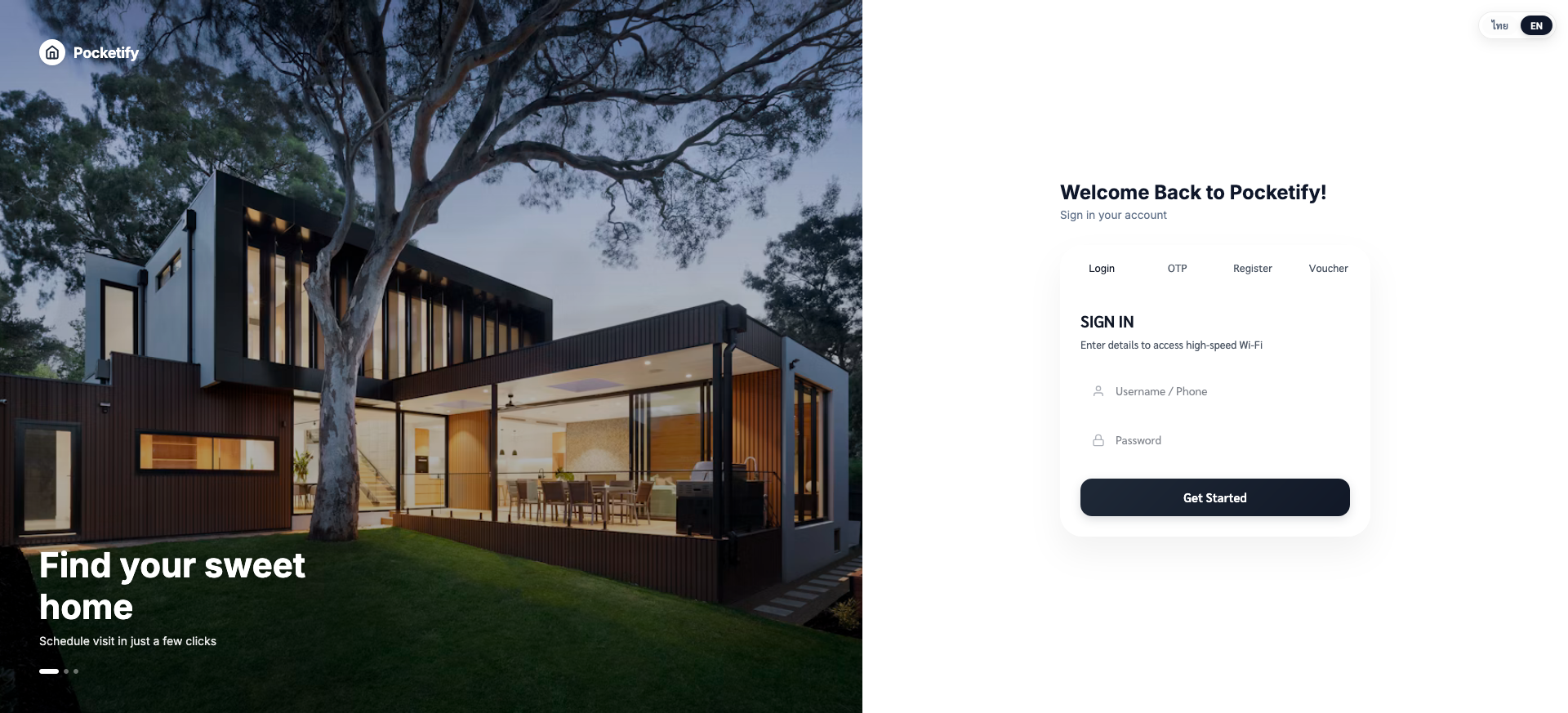
Ensure a professional visual impression when guests connect to your Wi-Fi. Utilizing the visual GrapesJS editor, tenants can drag, drop, upload logos, customize themes, and write custom terms of service.
Design Custom WiFi Login Pages Effortlessly without Coding
Customize colors, backgrounds, promo banners, and login authentication options with visual drag & drop builder and pre-built templates.
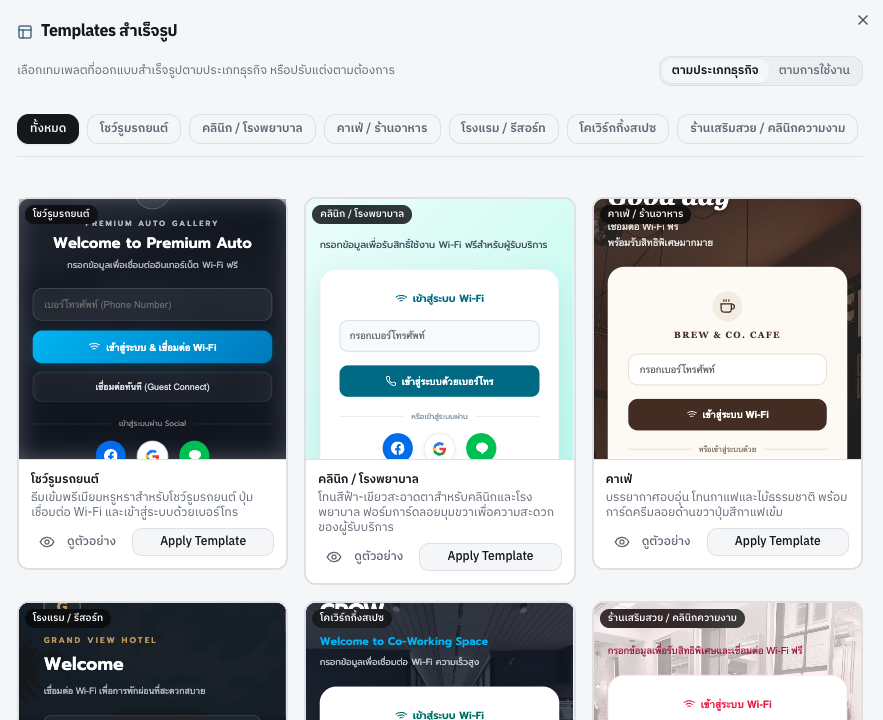
Explore Diverse Pre-designed Templates
Choose from a wide variety of portal templates optimized for hotels, cafes, retail shops, and corporate showrooms.
1. Instant Live WYSIWYG Editor
Edit copy, upload images, toggle dark/light modes, and preview mobile & desktop screens in real time.
2. Custom Brand Palette Controls
Select color palettes, fonts, and brand assets matching your corporate design guide.
3. Instant 1-Click Gateway Sync
Upon saving, your newly published portal design pushes seamlessly to all connected edge gateways.
Free Initial Customization Service
We are happy to customize the portal to your specific needs for free during your initial onboarding, and you can freely customize or edit it yourself at any time.
GrapesJS Visual Editor
A complete drag-and-drop workspace to custom design login screens without writing HTML or CSS.
Responsive Framework
Every layout dynamically scales to render beautifully on iOS, Android, tablets, and laptops.
Brand Integration
Upload custom logos, set background image sliders, specify fonts, and link brand Term of Service pages.
Key Business Benefit
Strengthens brand awareness and matches the visual theme of hotels, cafes, coworking spaces, and retail outlets.
Explore Other Features
AI-Powered Voucher via LINE Bot
Learn more about this Pocketify capability.
Promotion Campaigns with Marketing Insights
Learn more about this Pocketify capability.
Multi-Tenant Architecture
Learn more about this Pocketify capability.
Smart, Cost-Saving Authentication
Learn more about this Pocketify capability.
Compliance-Ready Traffic Logging
Learn more about this Pocketify capability.
Smart Offline & Local Uptime
Learn more about this Pocketify capability.
Branded WiFi Welcome Page
Learn more about this Pocketify capability.
Create WiFi vouchers directly from LINE
Learn more about this Pocketify capability.
LINE Official Account Add-Friend Invitation
Learn more about this Pocketify capability.
Customer Return Insights
Learn more about this Pocketify capability.
Multi-Branch Campaign Control
Learn more about this Pocketify capability.